Start here
Start your first project
Send your first brief in about two minutes. What each field on the form is for, what happens after you send it, and where to watch the work.
Updated November 27, 2026
Your first project is free. Create your account in one step with Google, Apple or a code sent to your email (no password, no card), then fill in the brief.
Send a brief
- Open barnabascreative.com/start, or press Start a project at the top of any page.
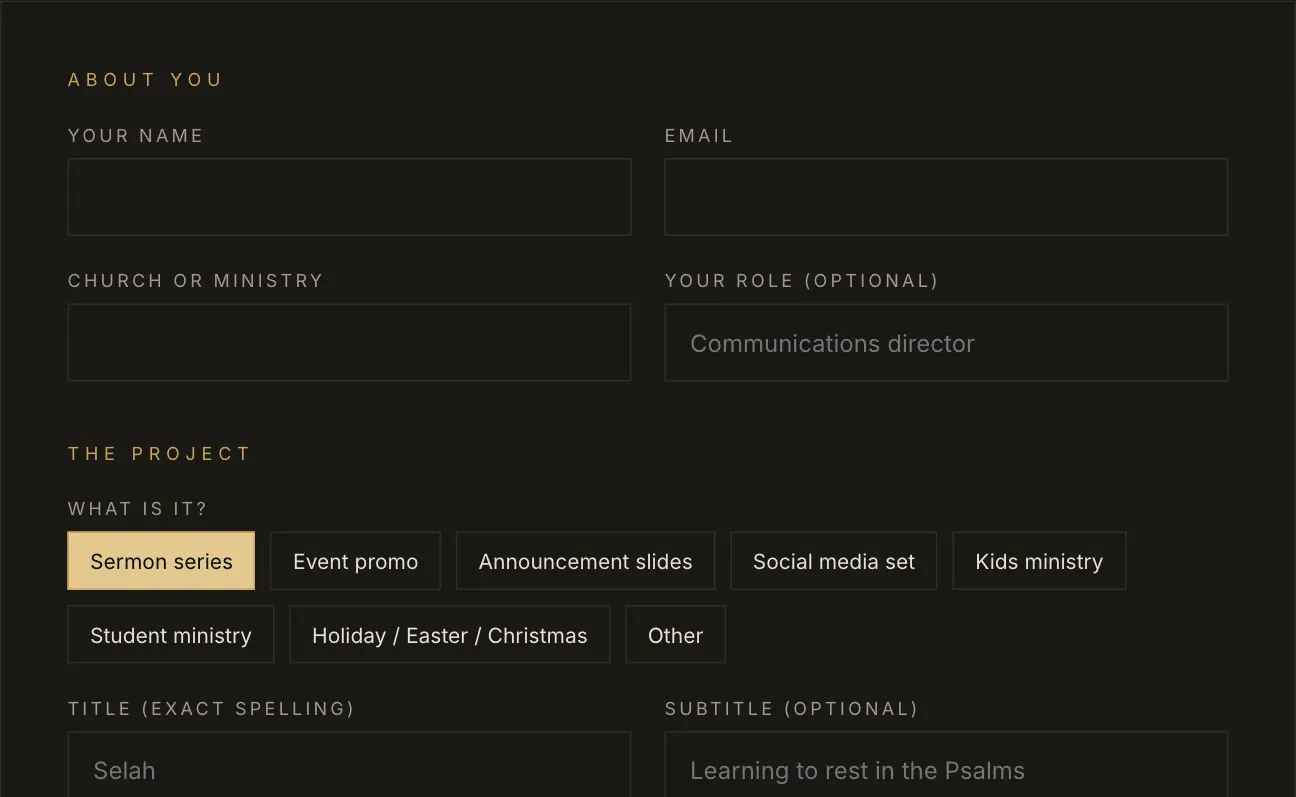
- Under About you, fill in Your name, Email and Church or ministry. Your role is optional.
- Under The project, pick what it is: Sermon series, Event promo, Announcement slides, Social media set, Kids ministry, Student ministry, Holiday / Easter / Christmas or Other.
- Type the Title exactly as it should appear. The studio keeps your spelling and capitals.
- Add a Subtitle, Scripture and Date, time, place if the piece should show them. They are optional, and the studio only prints facts you give it.
- Write Your vision: what the series or event is about, who it is for and how people should feel when they see it.
- Pick one or more Mood words, such as Reverent, Joyful or Minimal, and add Colours or Anything to avoid if you have them.
- Choose a template under Start from a template if one fits, or leave it blank for fully original work. See Start from a studio template.
- Under Formats, keep or change the sizes you need. Slide 16:9, Social square and Story / Reel 9:16 are picked for you.
- Press Send to the studio.
More on getting the most out of each field: Write a brief the studio can run with.
What happens next
- Your browser opens the project's studio page, where you can watch the team work. See Your project's studio page.
- The Concierge emails you a confirmation with the link to that page. Your projects are also listed under Account whenever you're signed in.
- First directions usually arrive in about an hour, any day and any hour, and the studio emails you when they are ready.
After your free project
Each email address gets one free project. A brief sent after that is saved on its studio page as Awaiting membership, and the studio starts it as soon as a membership is active. See Membership, plans and billing.